
Prerequisites & Requirements
- Owner role authorization.
Your sales, customers, and inventory live in a local SQLite file. FloCafe creates automated safety backups before version upgrades and lets owners download point-in-time snapshots.
Architecture & Workflow Diagram

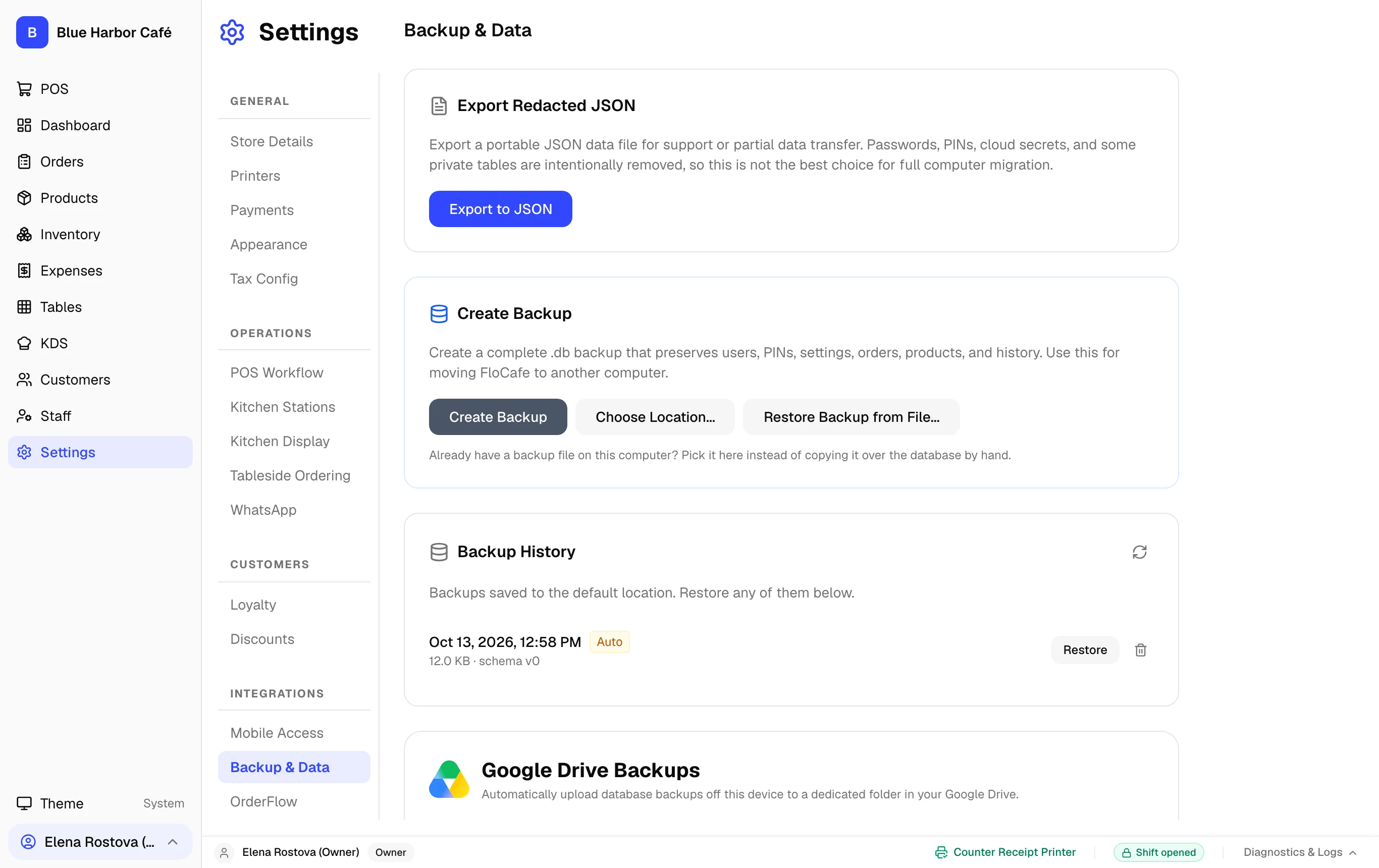
Interactive Screen Controls
Hover or tap markers to highlight
-
1
Instant Backup Action - One-click local snapshot of FloCafe SQLite database.
-
2
Scheduled Snapshots - Automatic daily backup settings triggered at shift close.
-
3
Restore Points History - List of timestamped database snapshots available for recovery.
Step-by-Step Walkthrough
Follow these instructions in sequence to complete the setup:
1
Open Settings > Backup & Data
Navigate to Settings and select the Backup & Data tab.
Automated Upgrade Backups
Whenever FloCafe installs a software update with schema changes, an automatic pre-upgrade snapshot is saved to your local user data directory automatically.