
Prerequisites & Requirements
- At least one category created.
Adding products in FloCafe is straightforward. Blue Harbor Café uses standard coffee and bakery items with accurate pricing and inventory links.
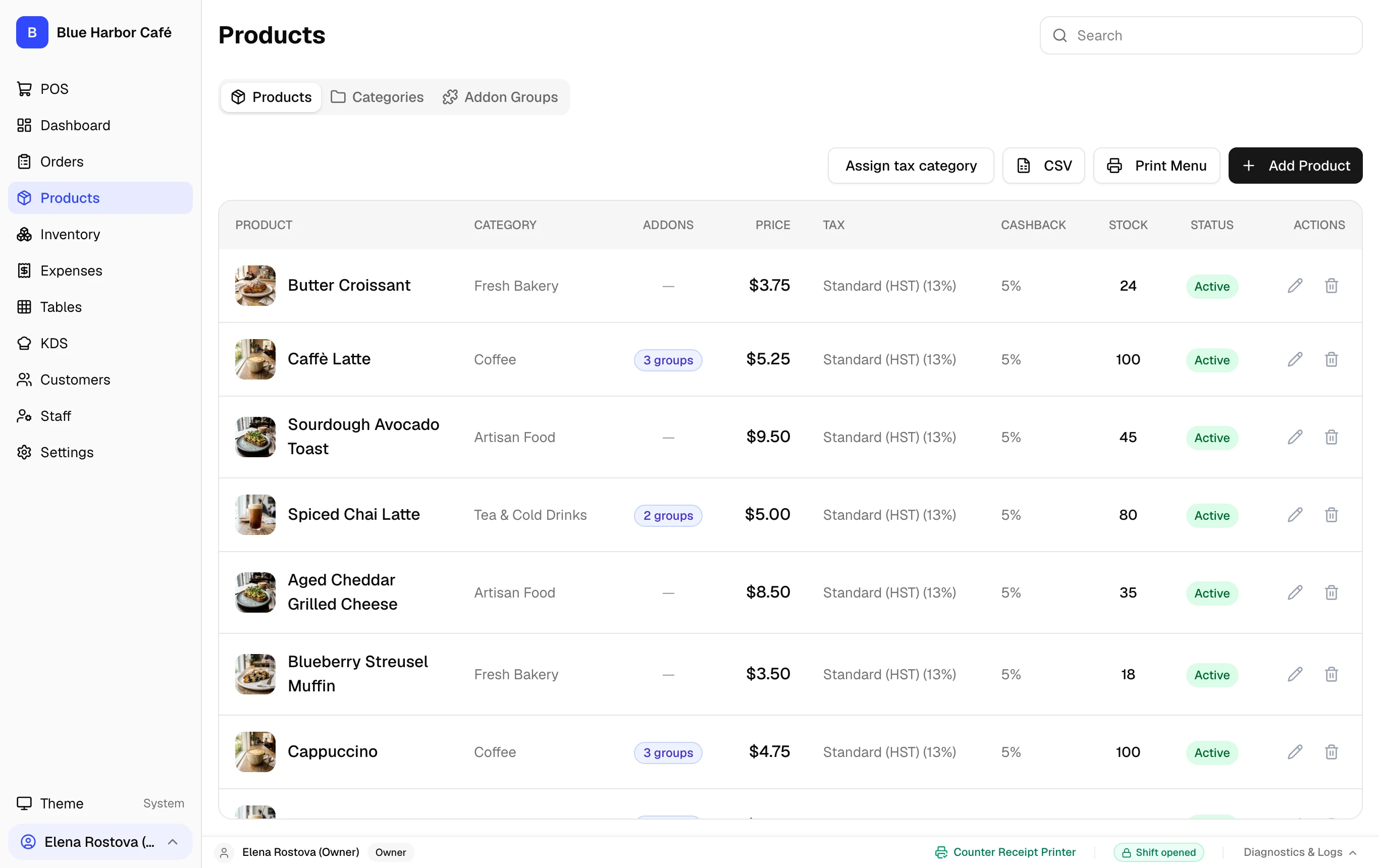
Interactive Screen Controls
Hover or tap markers to highlight
-
1
Name & Category - Product title and assigned menu category for grid grouping.
-
2
Base Price & Tax Pack - Set item selling price and associate local tax rates (e.g. Ontario HST).
-
3
Sizes & Variants - Configure Small, Regular, Large sizing with individual price overrides.
-
4
Add-on Groups Link - Attach modifier groups like Milk Choice or Syrup Options.
Step-by-Step Walkthrough
Follow these instructions in sequence to complete the setup:
1
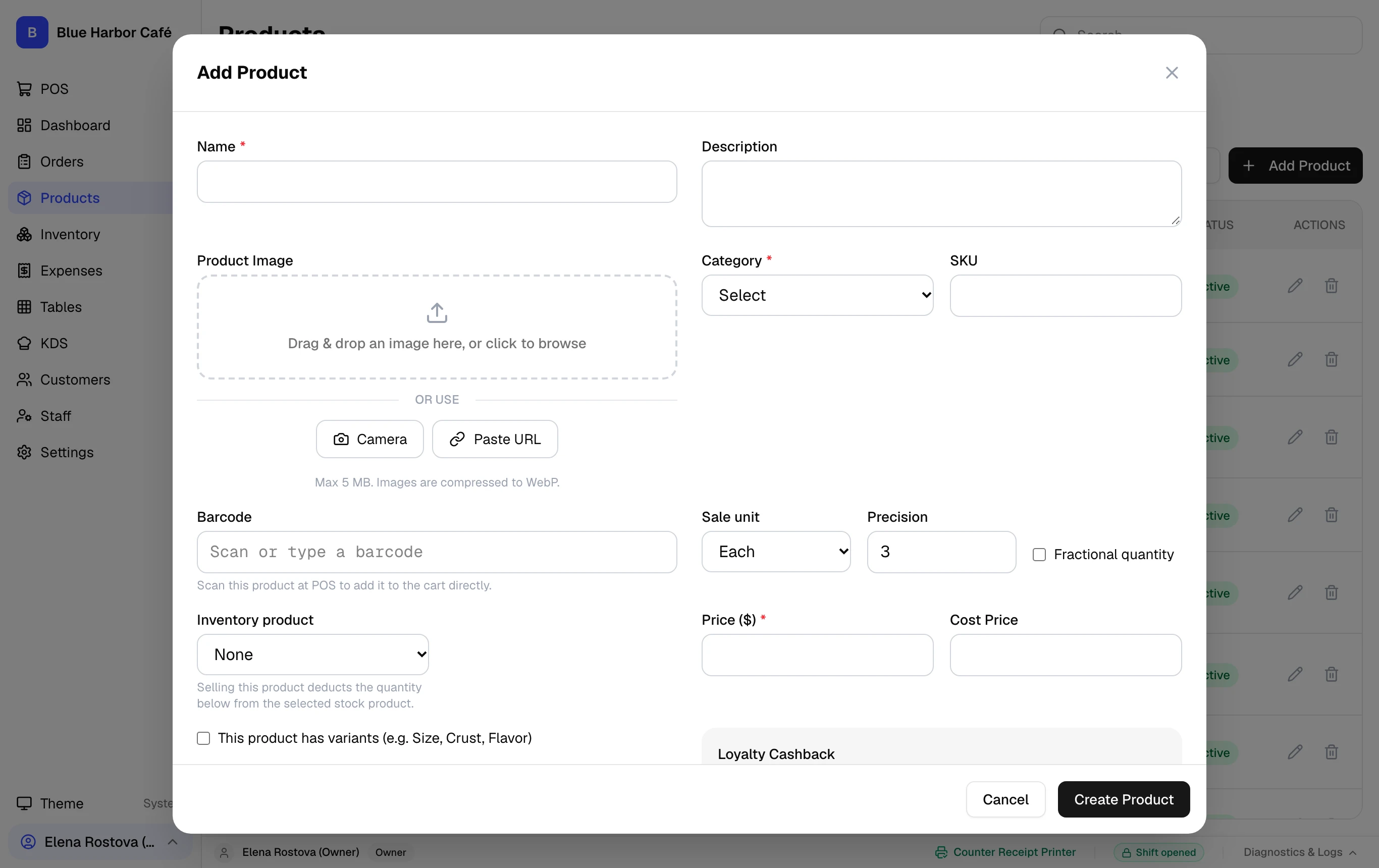
Navigate to Products and Click "Add Product"
Go to Products and click the primary + Add Product button.
Simple Products vs Products with Variants
Products without sizes or required add-ons add to the cart with a single tap. If your item comes in multiple sizes (e.g. Small, Large), enable Variants.