Troubleshooting & FAQs

Interactive Decision Tree: KDS Reconnection & WebSocket Dropouts

Quickly reconnect kitchen tablets and screens when orders stop syncing or the connection indicator shows yellow.

Chef / Manager 5 min read v3.12.88 Updated 2026-10-12

Prerequisites & Requirements

  • Tablet browser open.

The Kitchen Display System maintains an active WebSocket to port 3002. If the tablet sleeps or WiFi blips, use these steps to restore live ticket streaming.
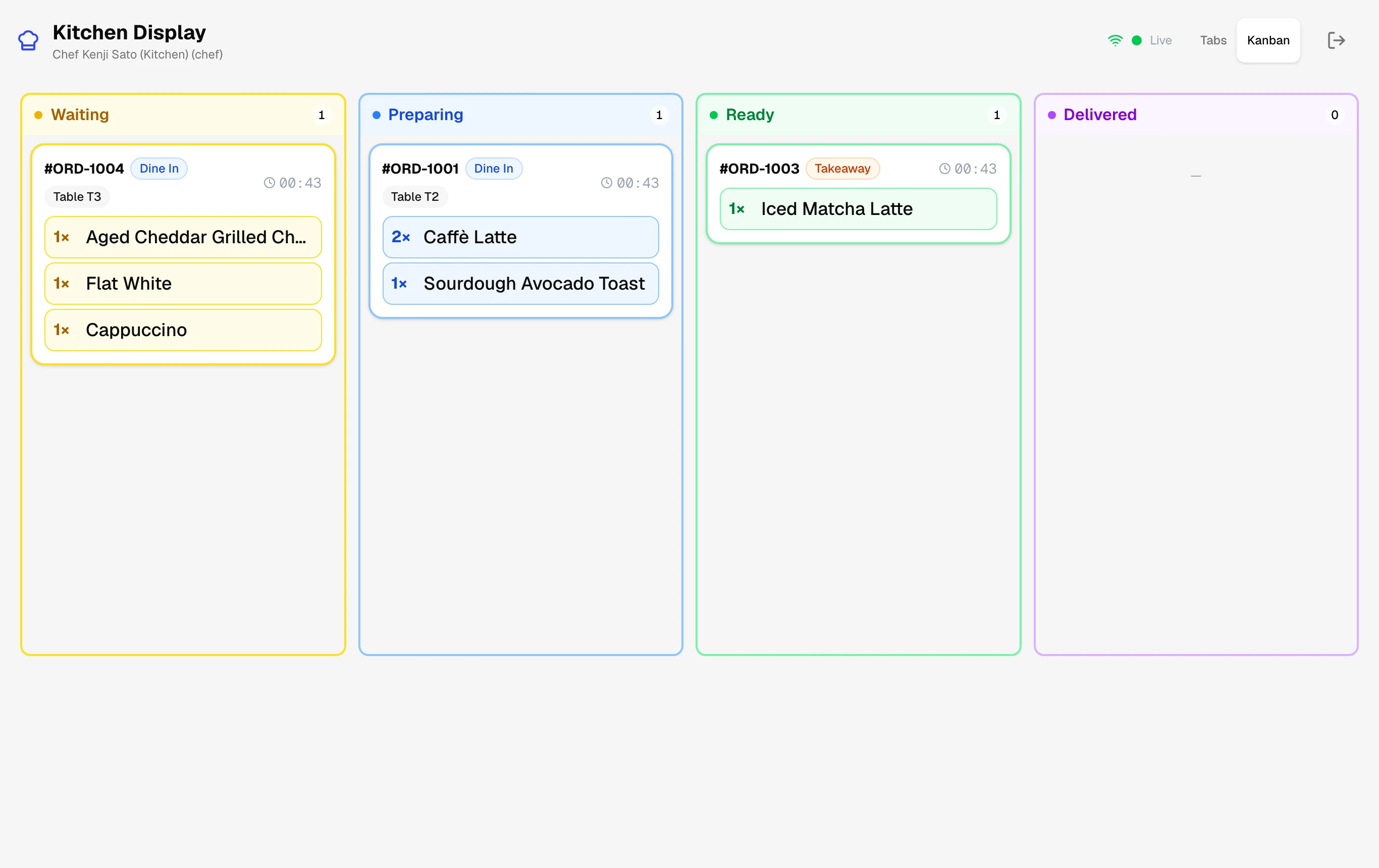
Interactive Decision Tree: KDS Reconnection & WebSocket Dropouts Screenshot
KDS header showing green WebSocket connection status indicator.

Step-by-Step Walkthrough

Follow these instructions in sequence to complete the setup:

Interactive Diagnostic Decision Tree

Click your printer symptom below to pinpoint the failure and apply the verified 60-second fix:

Interactive Diagnostic Wizard

Answer each question to pinpoint and fix the exact hardware or network issue.

What is the tablet or KDS screen displaying?

No sales call. No card.

Need more help with Interactive Decision Tree: KDS Reconnection & WebSocket Dropouts?

Install it, load a real menu, and run a full service before you trust it with a Friday night.

Join WhatsApp group