
Prerequisites & Requirements
- Owner role.
FloCafe enforces a secure role-based access model across five built-in roles: Owner, Manager, Cashier, Server, and Chef. All users authenticate using their email and password; fast PINs are exclusively reserved for Owner and Manager supervisor overrides.
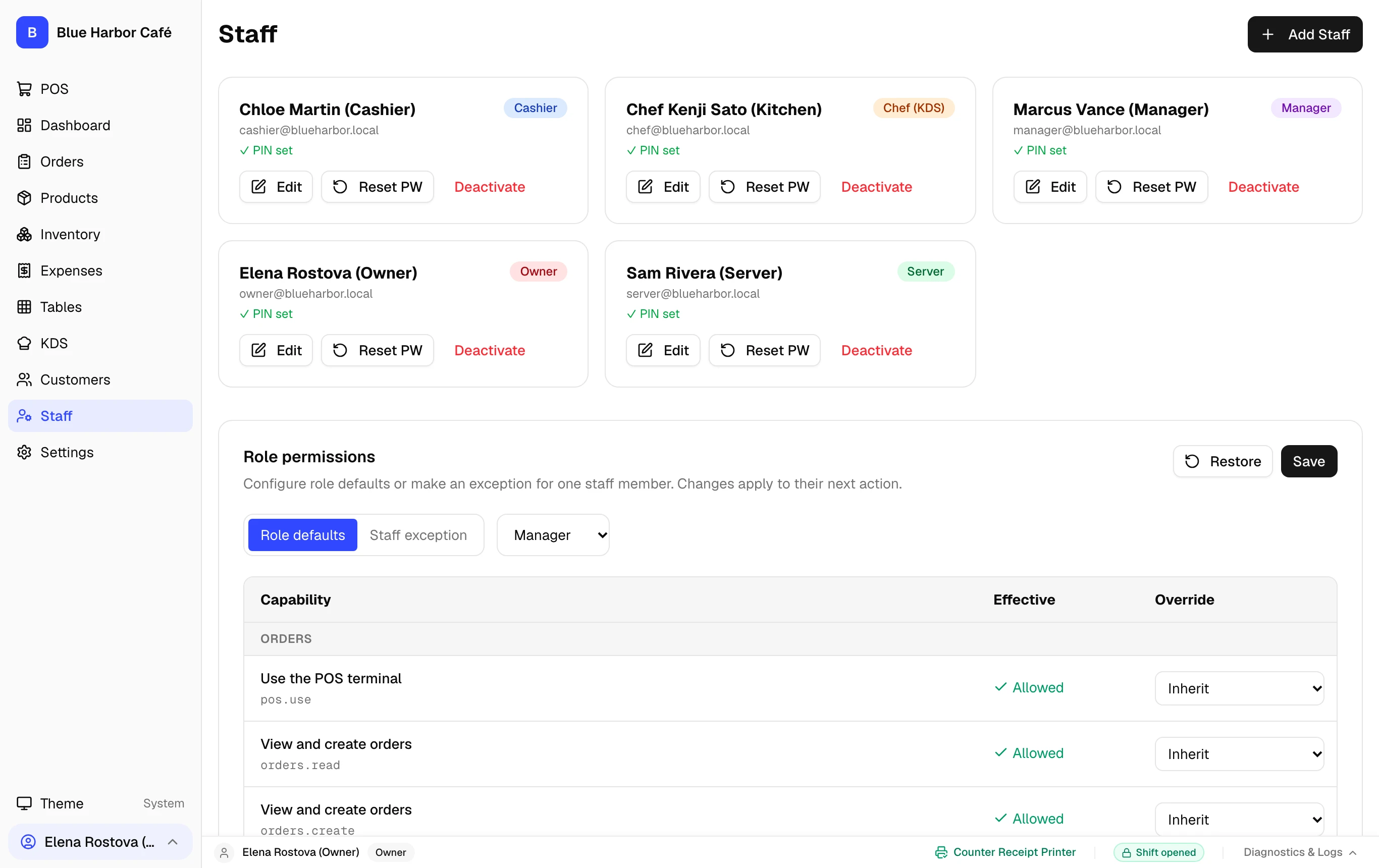
Staff Authentication & Security Model
FloCafe strictly separates day-to-day login from supervisor approvals:
- Email & Password Login: Every staff member (Cashier, Server, Chef, Manager, Owner) logs into the POS or companion apps using their individual email and password. Cashiers and servers do not have standalone login PINs.
- Owner & Manager Supervisor PINs: A 4-digit PIN is configured only for
ownerandmanagerroles. When a cashier or server attempts a protected action (such as voiding an item, applying an unapproved discount, or opening the cash drawer without a sale), a modal requests an Owner/Manager PIN. - No Ownership Gating: Any cashier or server with orders permission can view, edit, or collect payment on any active order in the restaurant. Accountability is maintained via the immutable audit log.
Role Permission Matrix
Backend authority strictly gates capabilities according to role:
- Owner: Full access including database maintenance, backups, factory reset, tax packs, and staff account management.
- Manager: All sales, refunds, voids, discounts, drawer pay-ins/outs, shift closing, and printer management. Cannot execute raw database resets.
- Cashier: Standard POS order entry, checkout, bill printing, and viewing customer directory. Requires manager PIN for discounts or refunds.
- Server: Table order entry via POS or mobile Server App (:3003). Cannot access cash drawer or financial reports.
- Chef: Kitchen Display System (:3002) order status bumping and station routing. No access to POS billing or customer records.
Step-by-Step Walkthrough
Follow these instructions in sequence to complete the setup:
1
Navigate to Staff Management
In the left sidebar, click Staff.