
Prerequisites & Requirements
- Owner role.
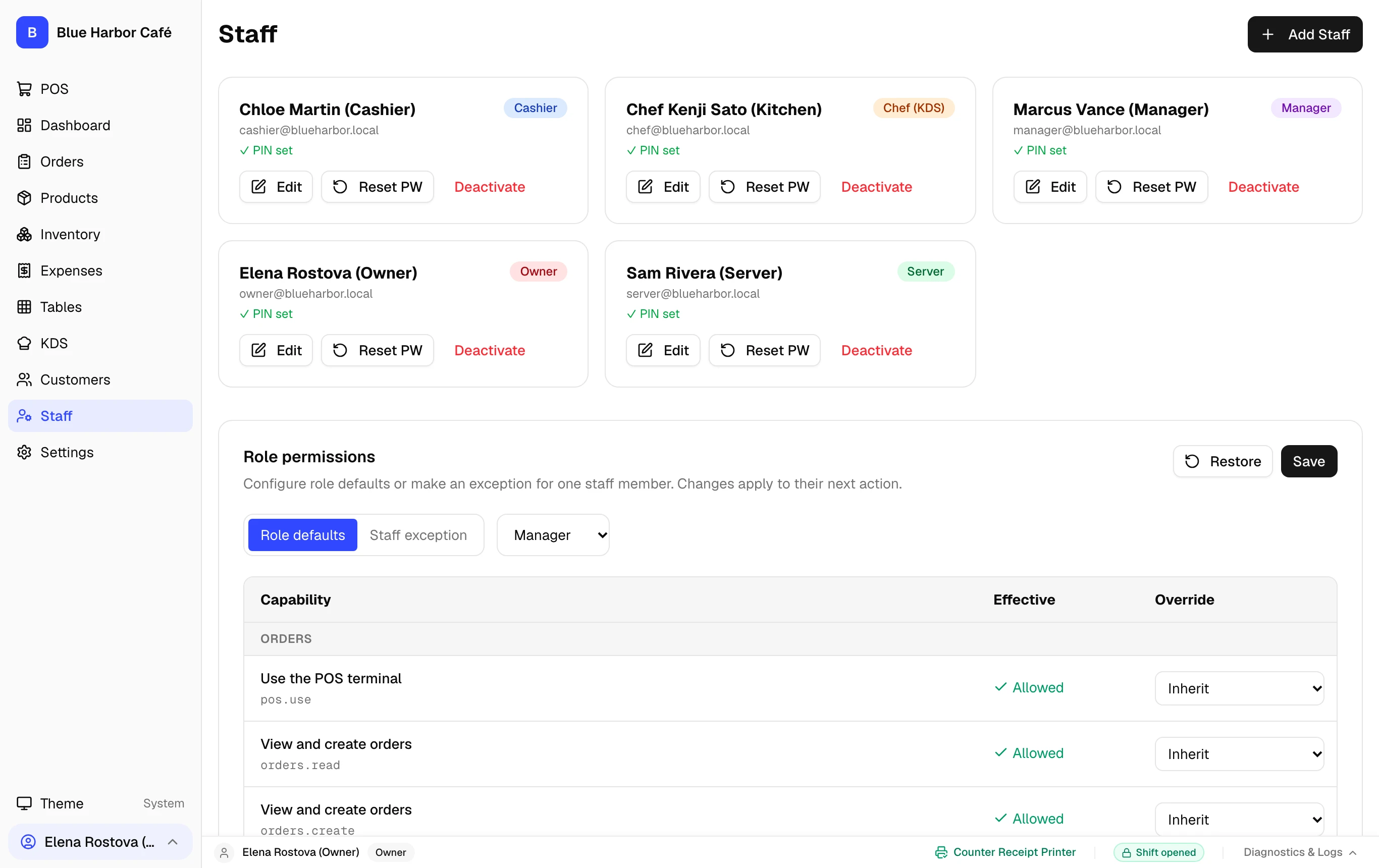
Supervisor PINs in FloCafe provide rapid in-service approval for privileged actions without logging out the current cashier. Only users with Manager or Owner roles possess authorization PINs.
How Supervisor PIN Overrides Function
During busy service, cashiers frequently encounter situations requiring management authorization (e.g. refunding an order, voiding a fired item, or manual price adjustments):
- The cashier taps the protected action in the POS.
- A modal prompt displays: Manager Approval Required.
- The manager or owner enters their 4-digit supervisor PIN.
- The Express backend verifies the cryptographic PIN hash against the users table.
- The action executes, and the event is permanently logged with the manager’s ID in the audit trail.
Step-by-Step Walkthrough
Follow these instructions in sequence to complete the setup:
1
Manager & Owner Approval PINs
Only Owner and Manager accounts have a 4-digit supervisor PIN assigned in Staff settings. These PINs permit in-service authorization of privileged actions.
Never Leave PINs Written Near POS
Ensure staff memorize their PINs. PINs are recorded in the audit log for all voids and drawer actions.